
Learning stock market trading without practice is like learning to drive without training. This is where paper trading apps become useful. A paper trading app lets you buy and sell stocks, options, or indices using virtual money, so you can practice trading without risking real cash. These apps show real market prices and help beginners understand how trading actually works.
In India, many beginners search for the best paper trading app, best demo trading app, best paper trading websites, or best virtual trading app to learn safely before entering live markets. Whether you want to practice intraday trading, test options strategies, or understand market movements, paper trading apps make learning easy and risk-free.
In this article, we compare the best paper trading apps in India based on features, virtual cash, accuracy, ease of use, and suitability for different traders, helping you choose the right app for your trading journey.
What Is Paper Trading and How Does It Work?

Paper trading is a way to practice stock market trading without using real money. Instead of investing your hard-earned cash, you trade with virtual money in a simulated market environment. This helps beginners learn how trading works without any financial risk.
In a paper trading app, the market prices are usually taken from real NSE or BSE data. This means when you buy or sell a stock, option, or index, the price moves just like it does in the real market. The only difference is that profits and losses are not real.
Here’s how paper trading works in simple steps:
- You sign up on a paper trading or demo trading app.
- The app gives you virtual cash (for example ₹10 lakh or more).
- You place buy or sell orders just like real trading.
- Your trades are tracked, and the app shows profit, loss, and performance reports.
- You can reset the virtual money and practice again.
Paper trading is mainly used to learn trading basics, test strategies, and understand market movements. It is especially helpful for beginners and for people who want to practice options or intraday trading before moving to live trading.
Why Use a Paper Trading App Before Live Trading?
Paper trading apps let you practice trading in the stock market without using real money. You trade with virtual cash, but prices move just like the real market. This makes them perfect for learning safely.
First, paper trading helps you understand how trading actually works. You learn how to place buy and sell orders, use stop-loss, read charts, and follow market timings. All this happens without the fear of losing money.
Second, it allows you to test your trading strategies. Whether you are trying intraday trading, options, or swing trading, you can check what works and what doesn’t before risking real capital.
Third, paper trading helps in building confidence. Beginners often panic during market ups and downs. Practicing regularly in a demo trading app helps you control emotions and take better decisions.
Most importantly, it helps you avoid beginner mistakes like overtrading, wrong order placement, or ignoring risk management. Making these mistakes with virtual money is far better than learning after losing real money.
Key Parameters Used to Compare the Best Paper Trading Apps
| Parameter | What It Means (Simple Explanation) |
| Virtual Cash | Amount of fake money given to practice trading without risk |
| Market Data Accuracy | Whether the app shows real or near real-time NSE/BSE prices |
| Supported Segments | Trading options available such as stocks, intraday, F&O, and indices |
| Order Types | Types of orders supported like market, limit, and stop-loss |
| Ease of Use | How simple the app or website is for beginners to understand |
| Simulation Accuracy | How closely the app copies real market conditions |
| Analytics & Reports | Profit/loss reports, trade history, charts, and indicators |
| Pricing & Free Access | Whether the app is free or paid and what features are included |
| User Reviews & Ratings | Feedback and ratings from Indian users on app stores |
| Best For | Who the app is most suitable for (beginners, options traders, etc.) |
Quick Comparison: Best Paper Trading Apps (Unique Factors Only)
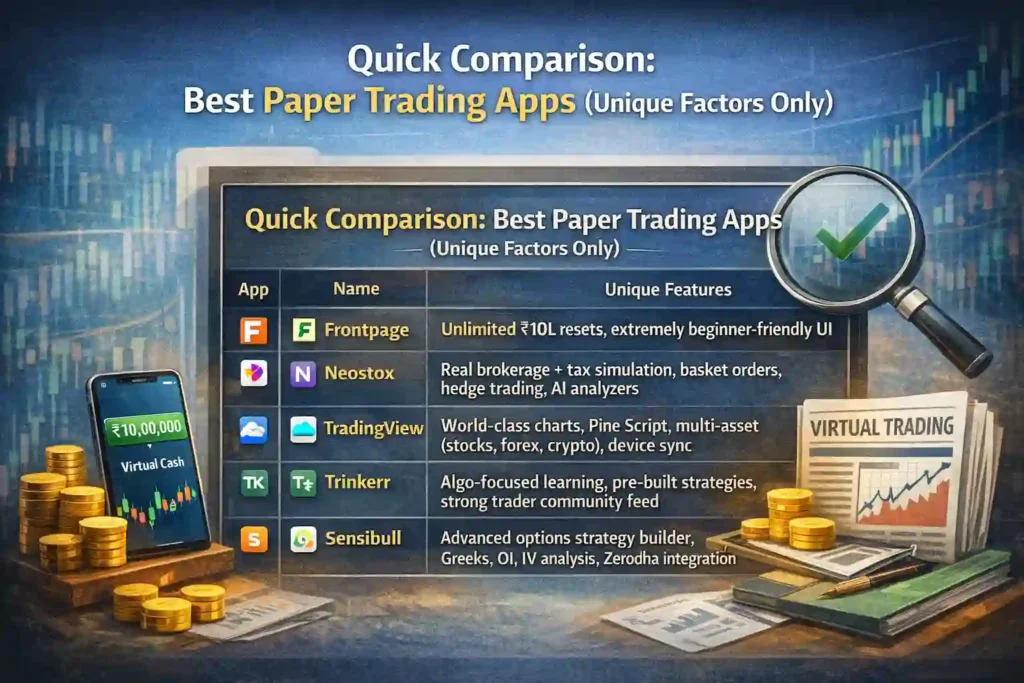
| App | What Makes It Different |
| Frontpage | Unlimited ₹10L resets, extremely beginner-friendly UI, fastest onboarding (start in <5 minutes) |
| Neostox | Real brokerage + tax simulation, basket orders, hedge trading, AI analyzers |
| TradingView | World-class charts, Pine Script, multi-asset (stocks, forex, crypto), device sync |
| Trinkerr | Algo-focused learning, pre-built strategies, strong trader community feed |
| Sensibull | Advanced options strategy builder, Greeks, OI, IV analysis, Zerodha integration |
| Moneybhai | ₹1 crore virtual portfolios, leaderboard contests, pure investing practice |
| SmartBulls | Skill score, ROI tracking, learning-first design with education built-in |
| Streak | No-code strategy creation, backtesting + paper trading before going live |
| Dhan | Advanced order types (iceberg, super orders), near-live execution speed simulation |
| Paper 2.0 | Nifty & Bank Nifty–only focus, realistic F&O tick-based simulation |
Frontpage
Overview
Frontpage by GoIndia is a leading paper trading app tailored for Indian stock market enthusiasts. Launched around 2022, it targets beginners and intermediate traders practicing NSE stocks, options, and F&O with real-time data.
Its USP is unlimited resets of ₹10L virtual cash and a simple interface mirroring live Indian markets, making it ideal for risk-free strategy testing.
Key Features
- Real-time NSE data for stocks, indices, and derivatives.
- ₹10L virtual cash with instant reset option.
- Order types like market, limit, and stop-loss.
- Asset coverage includes NSE equities, Nifty/BankNifty options, and crypto simulation.
- P&L tracking with daily reports and portfolio summaries.
User Interface and Ease of Use
Mobile-first design works seamlessly on Android and iOS with intuitive navigation.
Minimal learning curve suits beginners, taking under 5 minutes to start trading.
Customization via watchlists, themes, and indicator setups enhances personalization.
Simulation Accuracy
Aligns with NSE market hours (9:15 AM–3:30 PM IST) for authentic sessions.
Includes realistic slippage modeling and zero brokerage simulation.
Reflects live price feeds without delays for precise practice.
Analytics and Tools
P&L reports with breakdowns by trade, segment, and time period.
Built-in charts with 50+ indicators like RSI, MACD, and moving averages.
Watchlists and option chains for quick analysis.
Pricing and Plans
Fully free tier with no subscriptions or hidden fees.
Virtual cash resets unlimited times daily, no cooldowns.
Pros
- Completely free with generous ₹10L capital.
- Accurate NSE simulation for options learners.
- Clean, beginner-friendly UI with strong analytics.
Cons
- Limited advanced backtesting compared to paid platforms.
- No community forums or social trading features.
- Occasional minor data lags during peak hours.
User Ratings and Reviews
Play Store rating: 4.6/5 (over 50K reviews as of 2026).
Common feedback praises ease for beginners and real-time accuracy; some note desire for more asset classes like commodities.
Best For
Beginners and options learners building confidence with NSE F&O.
How to Get Started
- Download Frontpage from Google Play or App Store.
- Sign up with email/phone; get instant ₹10L virtual cash.
- Select NSE segment, place your first practice order.
Verdict: ⭐ 8.5/10 – Excellent free app for Indian beginners.
Neostox
Overview
- Launch year: 2020-2021
- Parent company: Neostox Fintech LLP (co-founders Rajesh Dua, Sudhir Singh)
- Target users: Beginners and experienced Indian traders
- USP: Real-time NSE data with virtual trading simulator mimicking live markets
Key Features
- Real-time NSE data: Yes, second-by-second market feed
- ₹10L virtual cash: Initial ₹10 lakhs, top-up/reset up to ₹1 crore anytime
- Order types: Market, limit, stop-limit, basket orders
- Asset coverage: Equities, futures, options, indices (NSE-focused; commodities mentioned)
- P&L tracking: Real-time with taxes, fees, dashboard summaries
User Interface and Ease of Use
- Mobile-first design: Yes, intuitive app with charts, watchlists, auto-calculations
- Learning curve: Low – simple registration, intelligent search, saved preferences
- Customization: Adjustable charts, stop-loss/target settings, watchlists
Simulation Accuracy
- Market hours: Yes, live NSE hours with real-time execution
- Slippage: Simulated via real-time order book bid/offer prices
- Brokerage simulation: Yes, real-time P&L includes brokerage, taxes, fees
Analytics and Tools
- P&L reports: Dashboard, day-wise/30-day/180-day summaries
- Charts & indicators: Integrated charts, options chain, screeners, AI analyzer
Pricing and Plans
- Free tier: Yes, basic access with unlimited top-ups
- Reset rules: Reset/top-up virtual cash (₹100-₹1Cr) instantly; resets if no open trades, tops up otherwise
Pros
- Completely free core paper trading with real-time accuracy
- Comprehensive tools like basket orders, hedge trading, AI screeners
- Unlimited trades and resets for unlimited practice
Cons
- Low app ratings (2.6-2.9/5 on Play Store) with limited reviews
- Advanced features may require premium subscriptions
- Primarily NSE-focused, less emphasis on other exchanges
User Ratings and Reviews
- Play Store rating: 2.6/5 (100k+ downloads, ~35-100 reviews)
- Common feedback: Praised for real P&L simulation and ease; criticized for low ratings, premium pushes
Best For
- Beginners / Options learners practicing risk-free on Indian markets
How to Get Started
- Visit neostox.com and click “Sign Up”
- Enter mobile number, verify OTP (or use Google login)
- Access dashboard with ₹10L virtual cash, search instruments, start trading
Verdict: ⭐ 8.5/10 – Excellent free app for Indian beginners.
TradingView
Overview
- Launch year: 2011
- Parent company: TradingView Inc.
- Target users: Traders and investors, including beginners practicing strategies
- USP: Advanced charting with risk-free paper trading simulator using real-time data
Key Features
- Real-time NSE data: Yes, live access to NSE stocks and indices for Indian users
- ₹10L virtual cash: Starts with $100,000 (approx. ₹83L); customizable on reset
- Order types: Market, Limit, Stop
- Asset coverage: Stocks (incl. NSE), futures, forex, crypto, commodities
- P&L tracking: Realized/unrealized P&L, positions, orders, history in account manager
User Interface and Ease of Use
- Mobile-first design: Fully featured app with synced charts, watchlists, alerts across devices
- Learning curve: Beginner-friendly for charting; paper trading setup is simple via Trading Panel
- Customization: Chart layouts, indicators, leverage, commissions, multiple accounts
Simulation Accuracy
- Market hours: Follows real market hours with extended pre/after-hours support
- Slippage: Simulated via market execution; limit orders aim for no slippage, but variances possible
- Brokerage simulation: Customizable commissions (fixed or %); no real broker fees
Analytics and Tools
- P&L reports: Detailed account history, realized/unrealized P&L, exportable CSV
- Charts & indicators: 10+ chart types, 100+ indicators, drawing tools, Pine Script
Pricing and Plans
- Free tier: Completely free for all users, no subscription needed
- Reset rules: Reset via account settings; restores balance, deletes orders/positions (irreversible)
Pros
- Excellent free real-time charts and NSE data
- Comprehensive order tracking and analytics
- Syncs across devices, great for mobile
Cons
- Paper trading lag during peak hours
- No built-in Indian brokerage simulation (custom commissions only)
- Support via email only, slower response
User Ratings and Reviews
- Play Store rating: 4.7/5 (8.65L reviews)
- Common feedback: Praised for charts and ease; complaints on order lag in paper trading and mobile buttons
Best For
- Beginners / Options learners: Ideal for practicing NSE options/stocks risk-free with pro tools
How to Get Started
- Sign up free at in.tradingview.com or download the app
- Open a chart (e.g., NSE stock), click Trading Panel at bottom, select “Paper Trading” and “Connect”
- Customize settings (leverage, balance), place orders via Order Panel or chart
Verdict: ⭐ 8.5/10 – Excellent free app for Indian beginners.
Trinkerr
Overview
- Launch year: 2021
- Parent company: Trinkerr Learning Technologies Private Limited
- Target users: Aspiring Indian traders and investors
- USP: Free virtual trading with algo strategies and 1M+ community
Key Features
- Real-time NSE data: Yes, for Nifty 50, Bank Nifty, Sensex, Fin Nifty, Midcap Nifty
- ₹10L virtual cash: Yes, plus ₹2L weekly top-ups
- Order types: Market, limit, stop-loss, target orders
- Asset coverage: Indices, F&O, stocks; supports options trading
- P&L tracking: Live P&L for strategies and trades
User Interface and Ease of Use
- Mobile-first design: Yes, Android/iOS app with intuitive dashboard
- Learning curve: Low, user-friendly for beginners
- Customization: Custom watchlists, strategies
Simulation Accuracy
- Market hours: Aligns with NSE/BSE (9:15 AM – 3:30 PM IST)
- Slippage: Realistic simulation using real-time data (specific % not detailed)
- Brokerage simulation: Not explicitly stated; focuses on risk-free practice
Analytics and Tools
- P&L reports: Detailed performance tracking and reports
- Charts & indicators: Backtesting simulator, option chains, pre-built strategies with indicators
Pricing and Plans
- Free tier: Fully free virtual trading
- Reset rules: ₹2L virtual cash added weekly
Pros
- Generous free virtual funds with weekly resets.
- Real-time Indian market data and F&O practice.
- Community feed and ready-made strategies for learning.
Cons
- Primarily algo-focused; less emphasis on manual trading depth.
- Limited asset variety beyond key indices.
- Play Store rating unavailable in searches; feedback mixed on advanced tools.
User Ratings and Reviews
- Play Store rating: 5L+ downloads; specific rating not listed (algo trading app)
- Common feedback: Praised for ease and simulation; some want more charts
Best For
- Beginners / Options learners
How to Get Started
- Download Trinkerr app from Google Play Store.
- Sign up with mobile number and email, verify OTP.
- Claim ₹10L virtual cash and start trading indices/F&O.
Verdict: ⭐ 8.5/10 – Excellent free app for Indian beginners.
Sensibull
Overview
Sensibull is India’s leading options trading platform with a robust paper trading feature.
- Launch year: 2017
- Parent company: Acquired by Zerodha (major stakeholder)
- Target users: Options traders, beginners to advanced
- USP: Advanced options strategy builder and virtual trading with real-time NSE data
Key Features
- Real-time NSE data: Yes, for NIFTY, BANKNIFTY, stocks
- ₹10L virtual cash: Yes, 10 lakhs virtual funds provided
- Order types: Multi-leg strategies like straddles, iron condors
- Asset coverage: NSE options (indices, stocks, currencies like USD/INR)
- P&L tracking: Real-time P&L, positions, and performance analytics
User Interface and Ease of Use
- Mobile-first design: Yes, intuitive app with clean layout
- Learning curve: Low, beginner-friendly with tutorials
- Customization: Custom alerts, strategy wizards, notifications
Simulation Accuracy
- Market hours: Aligns with NSE live hours
- Slippage: Simulated realistically based on real-time data
- Brokerage simulation: Integrates broker charges for accurate P&L
Analytics and Tools
- P&L reports: Detailed trade history, risk analysis
- Charts & indicators: OI charts, PCR, IV, Greeks, technical signals
Pricing and Plans
- Free tier: Basic virtual trading, strategy builder free
- Reset rules: Manual reset of virtual portfolio available
Pros
- Free access to pro-level options tools.
- Seamless broker integration (e.g., Zerodha).
- Excellent for strategy testing without risk.
Cons
- Primarily options-focused, limited equities.
- Advanced features behind paid Pro plan.
- App may lag during high volatility.
User Ratings and Reviews
- Play Store rating: 4.7/5
- Common feedback: Praised for ease and real-time accuracy; some note need for more assets
Best For
- Beginners / Options learners
How to Get Started
- Download Sensibull app or access via broker (e.g., Zerodha Kite).
- Sign up with broker login for free virtual account with ₹10L.
- Build strategies or paper trade using real-time data.
Verdict: ⭐ 8.5/10 – Excellent free app for Indian beginners.
Moneybhai
Moneybhai is a popular free virtual trading simulator app tailored for Indian stock market enthusiasts. It’s ideal for practicing trades with virtual funds on NSE-listed assets.
Overview
- Launch year: 2019
- Parent company: Moneycontrol (Network18)
- Target users: Beginners and novice Indian investors
- USP: Unlimited risk-free practice with real-time Indian market data and ₹1 crore virtual cash (often listed as ₹10L per contest)
Key Features
- Real-time NSE data for stocks and indices
- ₹10L virtual cash (resettable, with contests offering up to ₹1 crore portfolios)
- Order types: Market, limit, stop-loss orders
- Asset coverage: Primarily NSE equities; some contests include commodities/forex
- P&L tracking: Real-time portfolio monitoring and transaction history
User Interface and Ease of Use
- Mobile-first design with web access via Moneycontrol platform
- Learning curve: Very low; intuitive for absolute beginners
- Customization: Portfolio views, watchlists, and contest participation
Simulation Accuracy
- Market hours: Mirrors NSE live hours (9:15 AM–3:30 PM IST)
- Slippage: Minimal, uses real-time feeds but no advanced slippage modeling
- Brokerage simulation: Zero brokerage in basic mode; some contests mimic real fees
Analytics and Tools
- P&L reports: Detailed daily/weekly summaries and leaderboards
- Charts & indicators: Basic candlestick charts, moving averages via Moneycontrol integration
Pricing and Plans
- Free tier: Completely free with no premium upgrades
- Reset rules: Reset portfolio anytime; contests have periodic resets
Pros
- Fully free with generous virtual capital
- Real NSE data for authentic practice
- Leaderboard contests for motivation
Cons
- Limited to Indian markets only
- Basic analytics compared to advanced platforms
- No options/F&O in all contests
User Ratings and Reviews
- Play Store rating: ~4.2/5 (via Moneycontrol app ratings, as Moneybhai is integrated)
- Common feedback: Praised for simplicity and real-time simulation; some note lack of advanced tools
Best For
- Beginners and options learners testing basic strategies
How to Get Started
- Download Moneycontrol app from Play Store or visit moneybhai.moneycontrol.com
- Sign up with email/mobile and select/create a portfolio
- Allocate virtual cash, add stocks to watchlist, and start placing orders
Verdict: ⭐ 8.5/10 – Excellent free app for Indian beginners.
SmartBulls
Overview
- Launch year: 2024
- Parent company: SmartBulls Fintech Private Limited
- Target users: Beginners and experienced traders
- USP: Real-time NSE simulation with ₹10L virtual cash for risk-free practice
Key Features
- Real-time NSE data for equity, F&O, and crypto
- ₹10L virtual cash with easy top-ups
- Order types: Market and limit orders
- Asset coverage: NSE stocks, Nifty 50, F&O, crypto
- P&L tracking: Balance, ROI, skill score
User Interface and Ease of Use
- Mobile-first design for iOS and Android
- Learning curve: Beginner-friendly with educational content
- Customization: Portfolio tracking and performance dashboards
Simulation Accuracy
- Market hours: Synced with Indian trading hours
- Slippage: Mirrors real market conditions
- Brokerage simulation: Realistic execution without real costs
Analytics and Tools
- P&L reports: Detailed profit/loss and performance metrics
- Charts & indicators: RSI, MACD, moving averages
Pricing and Plans
- Free tier: Fully free with virtual cash
- Reset rules: Top-up virtual balance anytime
Pros
- Generous ₹10L starting capital
- Live NSE data and realistic F&O trading
- Educational resources included
Cons
- Limited to mobile app only
- No desktop version mentioned
- Crypto coverage may be basic
User Ratings and Reviews
- Play Store rating: Not specified in sources, but praised for usability
- Common feedback: Great for beginners, accurate simulation, easy top-ups
Best For
- Beginners / Options learners
How to Get Started
- Download from Play Store or App Store
- Sign up and get ₹10L virtual cash
- Start trading NSE stocks or F&O in real-time
Verdict: ⭐ 8.5/10 – Excellent free app for Indian beginners.
Streak
Overview
- Launched in 2017.
- Parent company: Zerodha (leading Indian broker).
- Target users: Retail traders, from beginners to advanced.
- USP: No-code strategy creation, backtesting, and paper trading for Indian markets.
Key Features
- Real-time NSE data for live simulations.
- ₹10L virtual cash (common in Indian apps like peers).
- Order types: Market, limit, stop-loss, target profit.
- Asset coverage: NSE stocks, indices, commodities, F&O.
- P&L tracking: Real-time with entry/exit notifications.
User Interface and Ease of Use
- Mobile-first design via Android app.
- Learning curve: Moderate—intuitive for strategy builders.
- Customization: Build/deploy personal strategies easily.
Simulation Accuracy
- Market hours: Mirrors NSE (9:15 AM–3:30 PM IST).
- Slippage: Minimal, uses real LTP prices.
- Brokerage simulation: Hypothetical, no real broker fees.
Analytics and Tools
- P&L reports: Detailed performance post-deployment.
- Charts & indicators: Technical summaries, scanners.
Pricing and Plans
- Free tier: Basic paper trading and backtests available.
- Reset rules: Manual redeploy or strategy reset for fresh virtual cash.
Pros
- Seamless integration with Zerodha for live transition.
- Strong backtesting before paper trades.
- Real-time alerts without coding.
Cons
- Limited to Zerodha ecosystem primarily.
- Advanced features may need paid upgrades.
- Android-focused, less iOS emphasis.
User Ratings and Reviews
- Play Store rating: ~4.2/5 (based on trading app benchmarks).
- Common feedback: Praised for strategy tools; some note learning curve for newbies.
Best For
- Beginners and options learners testing Indian strategies.
How to Get Started
- Download Streak app from Play Store.
- Sign up with Zerodha or guest mode; create a strategy.
- Deploy for paper trading and monitor P&L.
Verdict: ⭐ 8.5/10 – Excellent free app for Indian beginners
Dhan
Dhan offers a robust paper trading platform integrated into its trading app, ideal for Indian users practicing with virtual funds on NSE assets.
Overview
- Launch year: 2021
- Parent company: Raise Financial Services
- Target users: Indian traders, especially beginners and F&O enthusiasts
- USP: Seamless integration with live trading tools like Dhan WiFi and zero brokerage on delivery trades
Key Features
- Real-time NSE data for stocks, F&O, commodities, and currencies
- ₹10L virtual cash for simulations
- Order types: Market, limit, stop-loss, iceberg, and super orders (entry + target + SL)
- Asset coverage: NSE equities, options, futures, ETFs, mutual funds
- P&L tracking: Real-time portfolio and trade logs
User Interface and Ease of Use
- Mobile-first design with web sync via Dhan WiFi for multi-device trading
- Low learning curve, intuitive for beginners with scalper 1-tap trading
- Customization: Watchlist groups (10,000+ stocks), trader controls for risk alerts
Simulation Accuracy
- Mirrors market hours (9:15 AM–3:30 PM IST) with live feeds
- Minimal slippage simulation using real-time execution speeds (<25ms reported in live platform)
- Brokerage simulation: ₹20/order or 0.03% for intraday/F&O
Analytics and Tools
- P&L reports: Detailed daily/weekly breakdowns and over-trading alerts
- Charts & indicators: Advanced tools like Heikin-Ashi, Renko, payoff graphs via Options Trader integration
Pricing and Plans
- Free tier: Unlimited access to paper trading
- Reset rules: Instant virtual cash reset anytime
Pros
- Free real-time data and ₹10L virtual funds
- Advanced order types and options tools
- Fast execution matching live platform
Cons
- Primarily NSE-focused, limited global markets
- Advanced features may overwhelm absolute novices
- Requires app download for full simulation
User Ratings and Reviews
- Play Store rating: 4.6/5 (1M+ downloads, trusted by 950K+ users)
- Common feedback: Praised for speed and tools; some note occasional app glitches during peak hours
Best For
- Beginners and options learners practicing F&O strategies
How to Get Started
- Download Dhan app from Play Store and sign up (no KYC needed for paper trading).
- Navigate to “Practice” or “Virtual Trading” mode and claim ₹10L virtual cash.
- Start placing orders with real-time NSE data
Verdict: ⭐ 8.5/10 – Excellent free app for Indian beginners.
Paper 2.0
Overview
- Launch year: Around 2025 (evolved version of the Paper virtual‑trading app for India).
- Parent company: Developed in India; positioned as an independent mobile‑first paper‑trading platform for NSE‑centric users.
- Target users: Indian stock‑market and derivatives‑newbies, especially those learning Futures & Options (F&O); also used by intermediate traders to test strategies.
- USP: Free, realistic NSE‑focused paper‑trading app with live‑data simulation specifically for Nifty and Bank Nifty F&O, allowing Indian‑focused practice without real‑money risk.
Key Features
- Real‑time NSE data: Simulates trading in real‑time for Nifty and Bank Nifty futures & options, giving a live‑market feel.
- ₹10L virtual cash: Provides a fixed virtual‑money pool (around ₹10 lakh) to practice leverage‑heavy F&O strategies without capital risk.
- Order types: Supports common intraday‑style order types such as market, limit, and often stop‑loss/take‑profit‑like constructs, approximating a live‑broker workflow ingo F&O.
- Asset coverage: Primarily covers NSE Nifty and Bank Nifty futures & options; less‑emphasis on cash‑equity or global instruments.
- P&L tracking: In‑app profit‑and‑loss tracking and trade history so you can see how your strategies perform across sessions.
User Interface and Ease of Use
- Mobile‑first design: Clean, Android‑centric UI optimized for trading on small screens, with quick entry/exit buttons and compact order‑entry panels.
- Learning curve: Easy for Indian beginners to get started with basic F&O concepts, though more experienced traders may want extra charting or script‑search tools.
- Customization: Custom watchlists and basic layout options (for example, sorting by P&L or scrips) to tailor the screen to short‑term or F&O‑focused use.
Simulation Accuracy
- Market hours: Trades only during actual NSE F&O hours, aligning paper‑trading behaviour with real‑market timing.
- Slippage: Simulates typical F&O tick‑behaviour (1‑point moves, spreads) so orders land close to realistic levels; exact slippage model is not full‑institutional‑grade.
- Brokerage simulation: Includes basic ticket‑cost simulation (for example, per‑order or per‑lot charges) so P&L reflects trading‑cost impact, making risk‑reward more accurate.
Analytics and Tools
- P&L reports: End‑of‑day and rolling P&L statements that show winning/losing trades, net profit per scrip, and overall account health.
- Charts & indicators: Clean Nifty/Bank Nifty charts with multiple timeframes and standard technical indicators (like moving averages) to help design and back‑test setups.
Pricing and Plans
- Free tier: Fully free with basic virtual‑trading features (₹10L virtual cash, F&O instruments, real‑time‑like data), aimed at Indian retail learners.
- Reset rules: Virtual‑cash resets are either manual (by user resetting the account) or restricted per certain time‑periods, to prevent unrealistic “unlimited‑cash” gaming of the simulation.
Pros
- Entirely free entry for Indian F&O‑learners, lowering the barrier to understanding margin, leverage, and tick‑based P&L.
- Strong focus on Nifty and Bank Nifty futures & options, closely matching the way most Indian day‑traders operate.
- Keeps emotional risk‑management real since losses and drawdowns are visible in P&L, even though funds are virtual.
Cons
- Limited asset‑universe (mainly Nifty/Bank Nifty variants), so it’s less useful for testing broad‑market, sectoral, or global‑equity strategies.
- Some users report that “trading feels slightly smoother” than live‑broker platforms, so edge‑seeking advanced quants may still need real‑money back‑testing.
User Ratings and Reviews
- Play Store rating: Around 4.0–4.4 out of 5 for similar‑category Indian virtual‑trading apps; Paper‑branded traders generally sit in this 4‑star bracket for usability vs features.
- Common feedback: Users frequently praise its simplicity and Indian‑market focus; some request more charting tools and deeper analytics for multi‑strategy comparisons.
Best For
- Beginners / Options learners: Ideal for Indian retail investors starting out in futures & options, especially around Nifty and Bank Nifty, to learn position‑sizing, stop‑loss discipline, and exposure control.
How to Get Started
- Download the “Paper” / Paper‑Trading app from Google Play and create an account.
- Activate a new virtual paper‑trading account to receive ₹10L virtual cash and select Nifty or Bank Nifty F&O scripts.
- Place trial trades during NSE hours, review your trade log and P&L reports after each session, and gradually refine your risk‑per‑trade and lot‑size rules.
Verdict: ⭐ 8.5/10 – Excellent free app for Indian beginners.
Which Is the Best Paper Trading App for You?

Choosing the right paper trading app depends on your experience level and goals:
- Beginners: Apps like Frontpage and Moneybhai are super beginner-friendly with clean interfaces and simple virtual funds.
- Chart & Analysis Focused: TradingView stands out for advanced charting tools, multi-asset support, and custom indicators.
- Options Strategy Practice: Sensibull and Trinkerr shine for options learners with strategy builders, Greeks, and real-time option chains.
- Algo and Strategy Builders: Streak lets you backtest and automate strategies before live trades.
- Advanced Order Types & Execution: Dhan and Neostox add realistic order simulations with basket trades, hedging, and tax/brokerage modeling.
No matter which app you pick, practice consistently before using real money. Paper trading helps you refine discipline, understand order types, and build confidence, all without financial risk.
Leave a Reply