If you want to start investing in the stock market, Upstox account opening is one of the easiest ways to begin. With the help of the Upstox app, you can complete the entire upstox demat account opening process online within a few minutes.
In this guide, we will explain how to open account in upstox, the documents required, and every step involved in open upstox account successfully.
Step 1: Download the Upstox App
To begin the upstox account opening process, go to the Google Play Store and download the Upstox app on your smartphone.
Once the installation is complete, open the app to start the upstox demat account opening process.
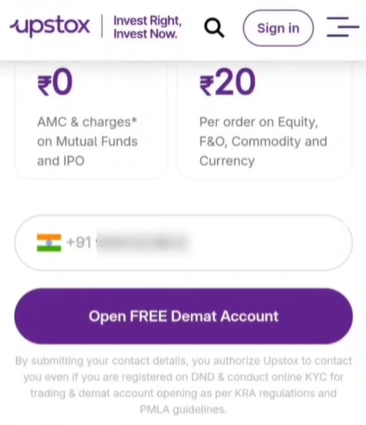
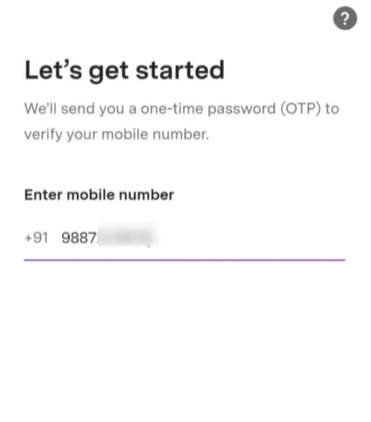
Step 2: Mobile Number Verification
When you open the app, the first step to open account in upstox is mobile number verification.
You will need to:
- Enter your mobile number.
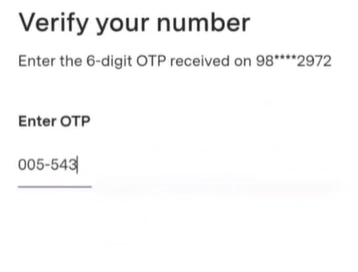
- Receive an OTP on that number.
- Enter the OTP in the app.
Make sure the mobile phone whose number you entered is nearby so you can easily complete the verification during the upstox account opening process.
Step 3: Email Address Verification
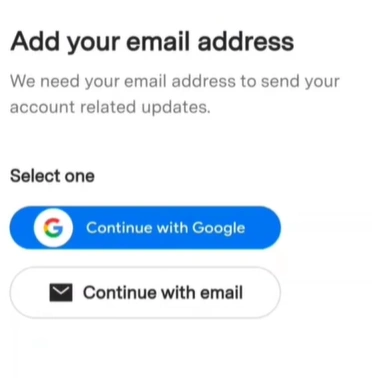
After mobile verification, the next step in upstox account opening is verifying your email address.
You will receive:
- An OTP on your email, or
- A verification link.
Follow the instructions to complete the email verification so you can proceed further with upstox open demat account.
Step 4: Enter Personal Details
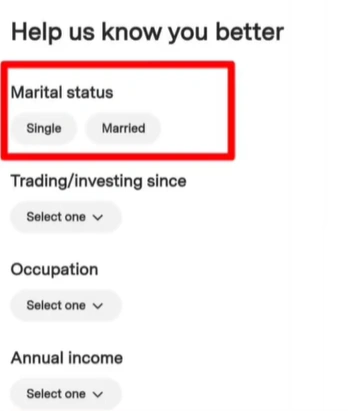
To continue the upstox demat account opening process, you will need to enter your personal information, such as:
- Marital status
- Occupation
- Income range
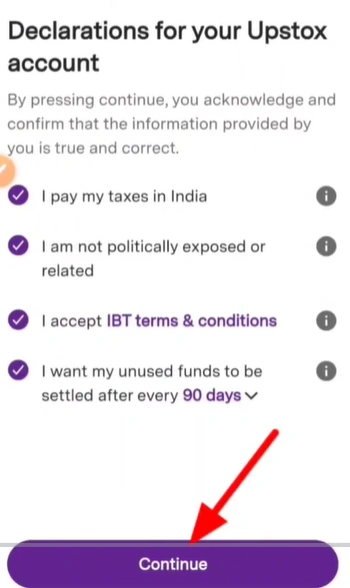
After entering these details, you will have to e-sign a declaration confirming that the information provided during the upstox account opening process is accurate.
Step 5: PAN Card Verification
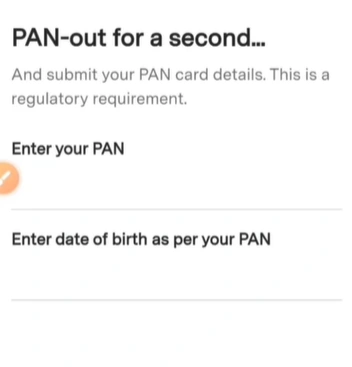
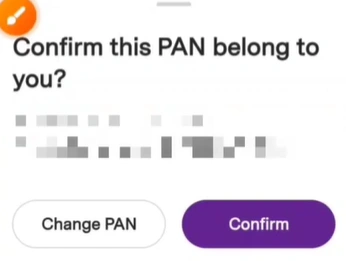
For regulatory requirements, you must provide your Permanent Account Number (PAN) details during the upstox open demat account process.
After entering your PAN details:
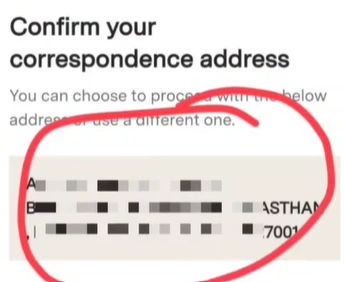
- Verify that your name and father’s name are correct.
- Check the address shown on the screen.
Once everything is correct, click Continue to move ahead in the open account in upstox process.
Step 6: Selfie Verification
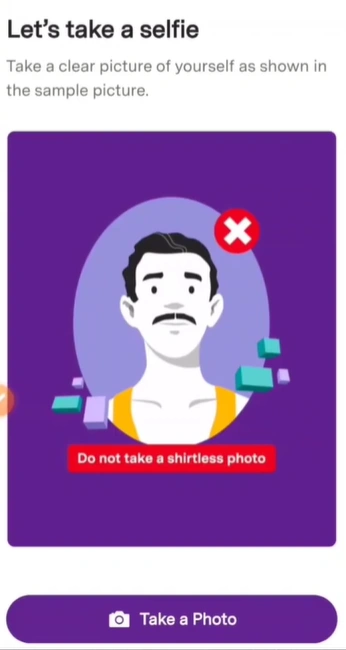
At this stage of the upstox account opening process, the app will ask for permission to access your camera and gallery.
You will need to take a selfie for identity verification.
Important tips while taking the selfie:
- Ensure the room is well lit
- Do not wear a cap, hat, or sunglasses
- Make sure your face is clearly visible
This step helps confirm your identity when you open upstox account online.

Step 7: Linking Your Bank Account
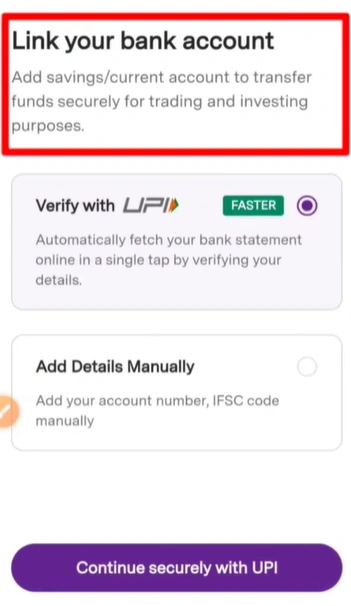
The next step in upstox demat account opening is linking your bank account.
You can do this in two ways.
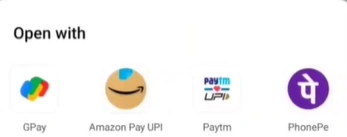
Option 1: Link Through UPI
This is the easiest way to open account in upstox.
Steps:
- Select your UPI app.
- Make a small transaction (₹1 or any small amount).
Through this process, your bank account will automatically be linked to your trading account during upstox account opening.
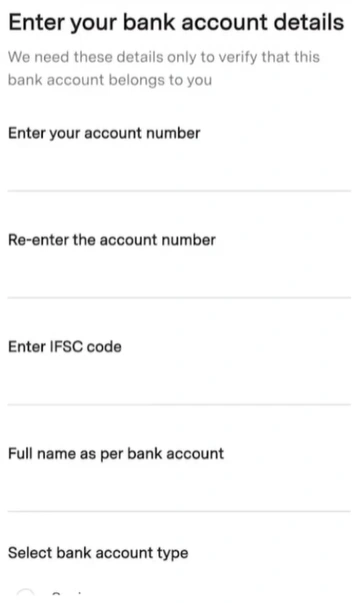
Option 2: Manual Bank Details
You can also manually enter your:
- Bank account number
- IFSC code
- Bank name
Either option will help complete the bank verification required to open upstox account.
Step 8: Signature Verification
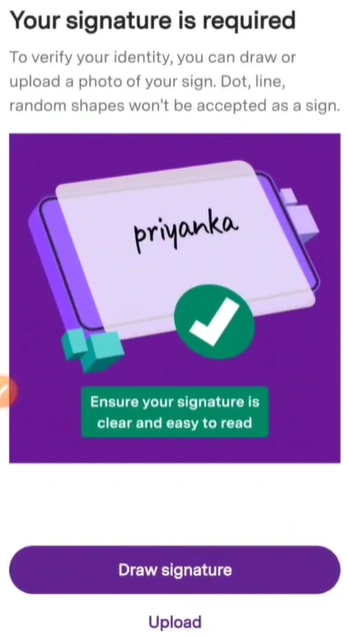
In the next step of upstox open demat account, you will need to verify your signature.
You can do this in two ways:
- Upload a picture of your signature on plain paper.
- Draw your signature directly on the screen.
After submitting the signature, you can proceed to the next step in the upstox account opening process.

Step 9: Select Trading Segments
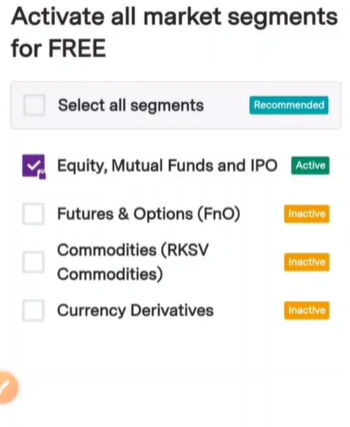
Now you will be asked to select the trading segments when you open account in upstox.
These segments may include:
- Equity
- Futures and Options
- Currency
- Commodities
Some segments require income proof, such as a 6-month bank statement.
If you do not have the required documents, you can simply select the Equity segment while completing upstox demat account opening and activate other segments later.
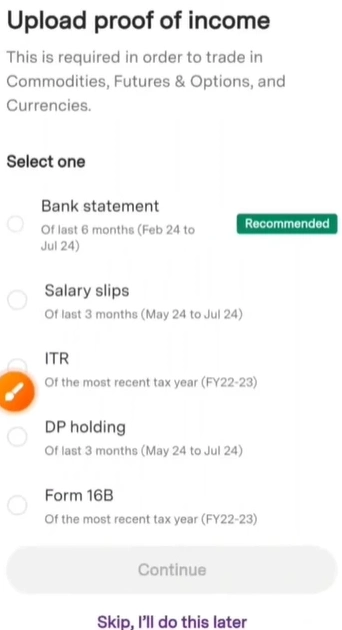
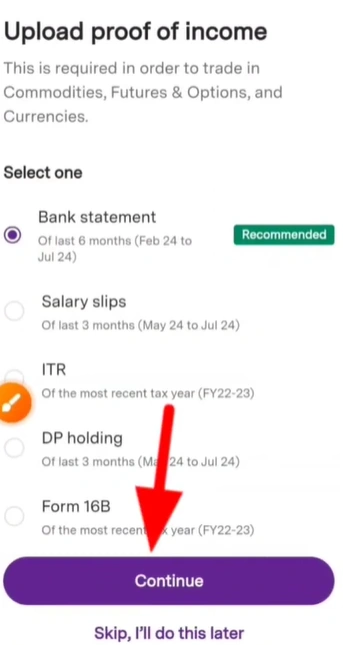
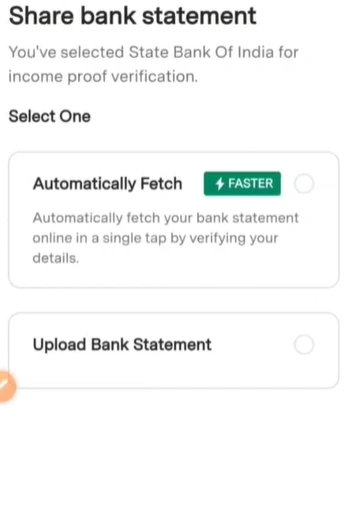
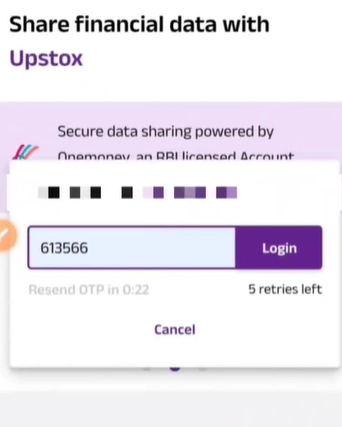
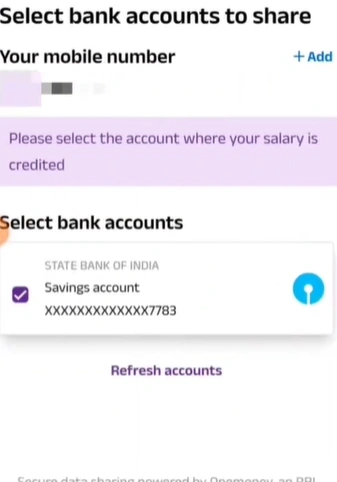
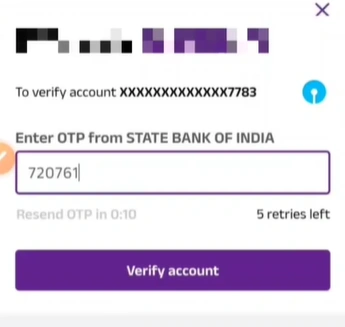
Step 10: Upload Income Proof (Optional)
During upstox account opening, you may be asked to submit income proof.
This step is optional and can be completed later if needed.
Common options include:
- Bank statement
- Salary slip
- Income tax return
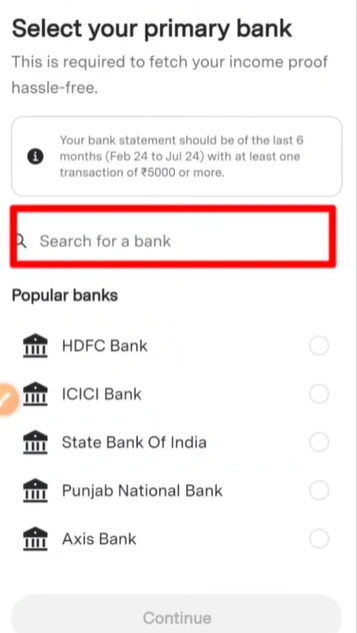
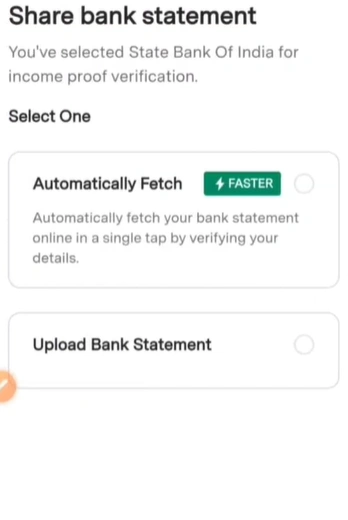
The most common method is uploading a bank statement.
You can either:
- Upload it manually, or
- Automatically fetch the statement from your bank using OTP verification.
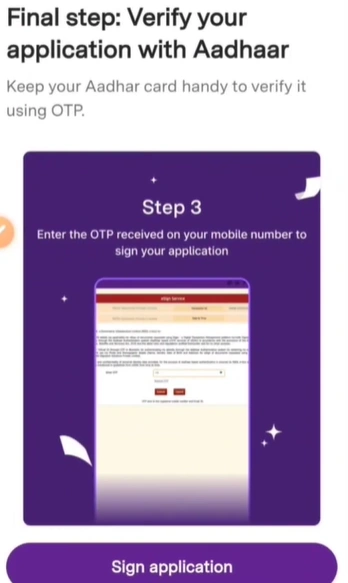
Step 11: Aadhaar e-Sign Verification
The final step to open upstox account is Aadhaar verification using Aadhaar.
Steps:
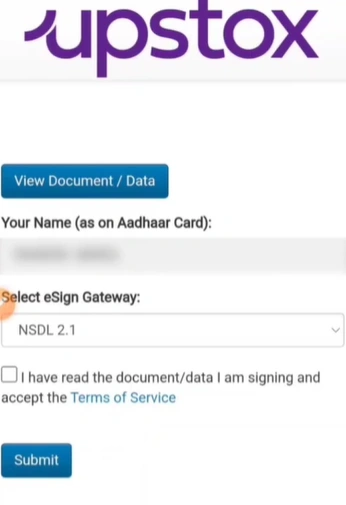
- Click on E-Sign.
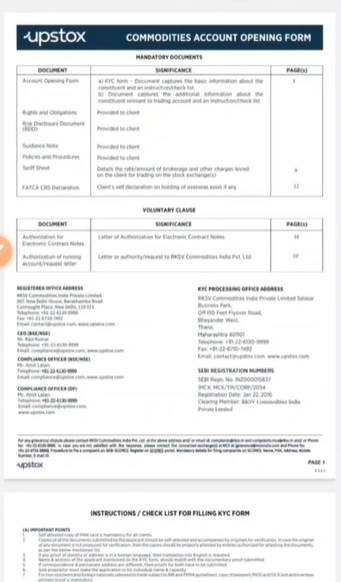
- Review the details entered during the upstox account opening process.
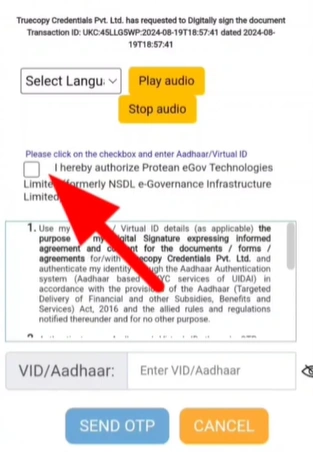
- Enter your Aadhaar number.
- Click Send OTP.
- Enter the OTP received on your Aadhaar-linked mobile number.
After submitting the OTP, your upstox demat account opening application will be completed.
Final Step: Application Submission
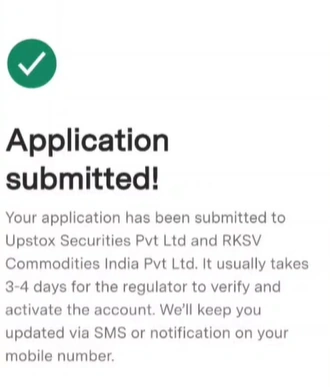
Once all the steps are completed, you will see an acknowledgment page confirming your application submission.
After you open account in upstox, the verification process usually takes a few days. Once approved, your open upstox account will be activated and you can start investing and trading in the stock market.
Is Upstox account opening free?
Yes, upstox account opening is generally free for most users. However, charges and offers may change from time to time on the Upstox platform. Once your upstox demat account opening is completed, you may still need to pay certain charges like brokerage or annual maintenance depending on the plan you choose.
What documents are required for Upstox account opening?
To complete the upstox account opening process, you usually need the following documents:
PAN Card
Aadhaar Card
Bank account details
Mobile number linked with Aadhaar
A photo of your signature
These documents are necessary to successfully open account in upstox and verify your identity

Leave a Reply